Unwrite
Browser-based tools, built so your files never leave your device.
Local browser tools for PDFs, images, text, favicons, and AI. Designed for fast, private use with offline support where available.
Built to stay local.
Every tool is designed to run locally, with minimal friction and no unnecessary uploads.
Your files stay on your device.
Tools run locally using WebAssembly and modern browser APIs, without sending your files to a server.
No accounts required.
Open a tool and start working immediately. No signup flow, dashboards, or unnecessary friction.
Actively maintained.
New tools ship regularly, and existing tools continue improving over time.
The toolbox.
Unwrite GPT
Clean up AI-generated writing locally in your browser.
Unwrite PDF Editor
Compress, merge, split, repair PDFs. Everything happens in the browser.
Unwrite Images
Compress, resize, and convert images. WebAssembly-powered, no uploads.
HTML Cleaner
Strip tags, inline styles, and Word or Google Docs cruft from pasted HTML.
Favicon Generator
Create favicons for every platform. ICO, PNG, SVG, and manifest output.
Compare Text
Side-by-side diff for two versions of text.
Unwrite Make and Unwrite Voice
You sign in for these two, and that's a code we email you rather than a password to remember. Try either one before you pay anything.
Unwrite Make
Unwrite Make is a 3D modelling and CAD tool where an agent does the modelling, and it designs the part rather than generating it.
You don't have to be a CAD hand to use it. Say what you need in plain words, or photograph the thing that broke, and what comes back is a part you can spin round on screen, print, or open in the CAD program you already run.
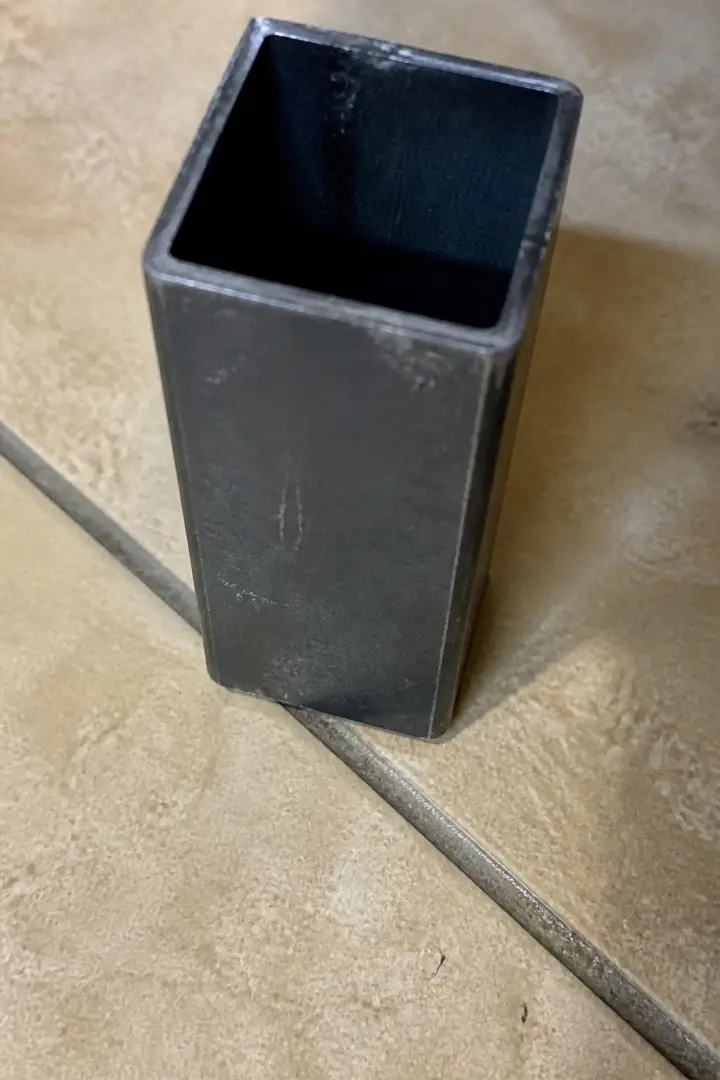
From a photograph
“this but a foot for it”A push-in foot for the open end of a square chair leg.
Unwrite Voice
Unwrite Voice writes in your voice, from a short brief or from text you paste.
Paste in a few things you've already written and it works out how you actually write, then holds to it. Give it a brief and you'll get a fresh draft, or hand it something that needs fixing and you'll get that back reading like you wrote it.
LLM in the Browser
Local AI models running directly in your browser.
Choose from 18+ open models, running locally in your browser without an API key.
Automated hreflang tags for Shopify stores.
Keep your international SEO in sync without writing a single line of Liquid. Catches broken tags before Google does.
From the workbench.
Notes on how these tools are built, and why they work the way they do.
Why WebAssembly powers Unwrite
Every tool on Unwrite runs in your browser. WebAssembly is what makes that possible.
From the blogThe hidden risks behind free online tools
The security angle on free online tools is worse than you think. Trojanised PDF editors, crypto-mining extensions, and fake download buttons.
From the blogAuditing third-party tracking on our own site
We promised no tracking. Then we discovered Cloudflare was injecting five JavaScript files into every page. Here is what we found and what we ripped out.
From the blogRunning a 3.4GB language model in a browser tab
Gemma 4 E2B is 3.4GB. We run it in a browser tab. Here is how the stack works.