Sign a PDF without uploading it anywhere
The Unwrite PDF editor can now sign documents. Draw with your trackpad, type your name, photograph a real signature, or sign on your phone. The file never leaves your browser.
A contract lands in your inbox on a Friday afternoon. It needs your signature before you finish for the week. You have three bad options.
Print it, sign it, scan it, and email back a crooked photo of page four.
Install a desktop app you will open twice a year.
Or upload the document to a free signing site and hope the company behind it is what it claims to be.
Most people pick the third one. It is also the worst one. A contract usually carries your full name, your address, your bank details, and often your date of birth. Uploading it hands all of that to a business whose revenue model you cannot see from the outside.
So I built signing into the Unwrite PDF editor. Open a document, click Sign, place your signature, export. The file stays in your browser the whole time.
Four ways to make a signature
Draw it
Draw with a mouse, a stylus, or your finger on a touchscreen. The pad shows a baseline guide so your signature sits on a line instead of floating in a box. Every stroke is stored separately, so Undo removes the last one rather than wiping the lot. You get black or blue ink.
The renderer varies stroke thickness with speed. Slow parts come out heavy, fast flourishes taper off. It reads like a pen instead of a fixed width line, which is most of the difference between a signature that looks real and one that looks like a doodle.
Sign with your trackpad
This is the part I am most pleased with, and the part that took the longest to get right.
A signature drawn with a mouse looks nothing like your actual signature. Your hand signs from the wrist. A mouse grip fights that. A trackpad is much closer to the real motion, but browsers cannot see raw trackpad touches. macOS keeps that data private to native apps, so a web page only ever sees a cursor, and the cursor stops at the edge of the drawing area.
The Pointer Lock API gets around it. Click "Sign with your trackpad" and the cursor disappears. The browser then streams raw motion on every frame, with no edges to hit and no screen to run out of. Those movements feed a virtual pen, and the view scales itself to fit whatever you draw. You can sign at any size, anywhere on the physical trackpad, at any speed.
Nothing in it depends on timing. Moving inks. Pausing for a moment finishes the current stroke and tapers it, then moving again starts the next stroke from the same spot. Holding Space or the trackpad button moves the pen without inking, which is how you cross a t or dot an i. Backspace undoes a stroke, Return finishes, Escape leaves.
An earlier version tried to guess when you lifted your finger by watching for stillness. It was unusable, because the same pause that was meant to press the pen down also started the countdown to lift it. Making the reposition an explicit gesture fixed it. Browsers cannot see finger lifts, so guessing was never going to work.
On Chromium we also switch off the operating system pointer acceleration, so a fast flourish keeps its real shape rather than getting stretched by the cursor speed curve. On devices with no Pointer Lock support, iPhones and iPads included, the button never appears.
Type it
Type your name and pick one of four cursive faces. Flowing, Elegant, Casual, Handwritten. We host the font files ourselves, so the page never calls out to Google Fonts. Each licence file ships alongside the font it covers. Three use the Open Font Licence, one uses Apache 2.0, and all four allow embedding in a PDF.
Photograph a real one
Sign a sheet of paper, take a photo with your phone, drop the photo in.
The problem with photographing a signature is everything around it. You get grey paper, a shadow cast by your own hand, and a colour tint from whatever light is in the room. Paste that straight into a document and you get a grey rectangle with your name inside it.
The upload tab cleans the photo in your browser. It evens out the lighting across the sheet, so a shadow on one side stops reading as ink. Then it separates ink from paper, keeps the soft edges of the pen rather than cutting them into jagged pixels, drops stray specks, and trims the image down to the ink itself. What comes out is a transparent PNG that sits on the page like it was always there.
You can leave the original pen colour, switch it to black or blue, and move a sensitivity slider if the photo came out unusually dark or faint.
Sign on your phone
Sometimes you are on a desktop with no touchscreen and no trackpad, and your phone is sitting right there with a screen you can draw on properly.
Open the Phone tab and a QR code appears. Scan it, draw on your phone, and the signature turns up on the desktop a couple of seconds later.
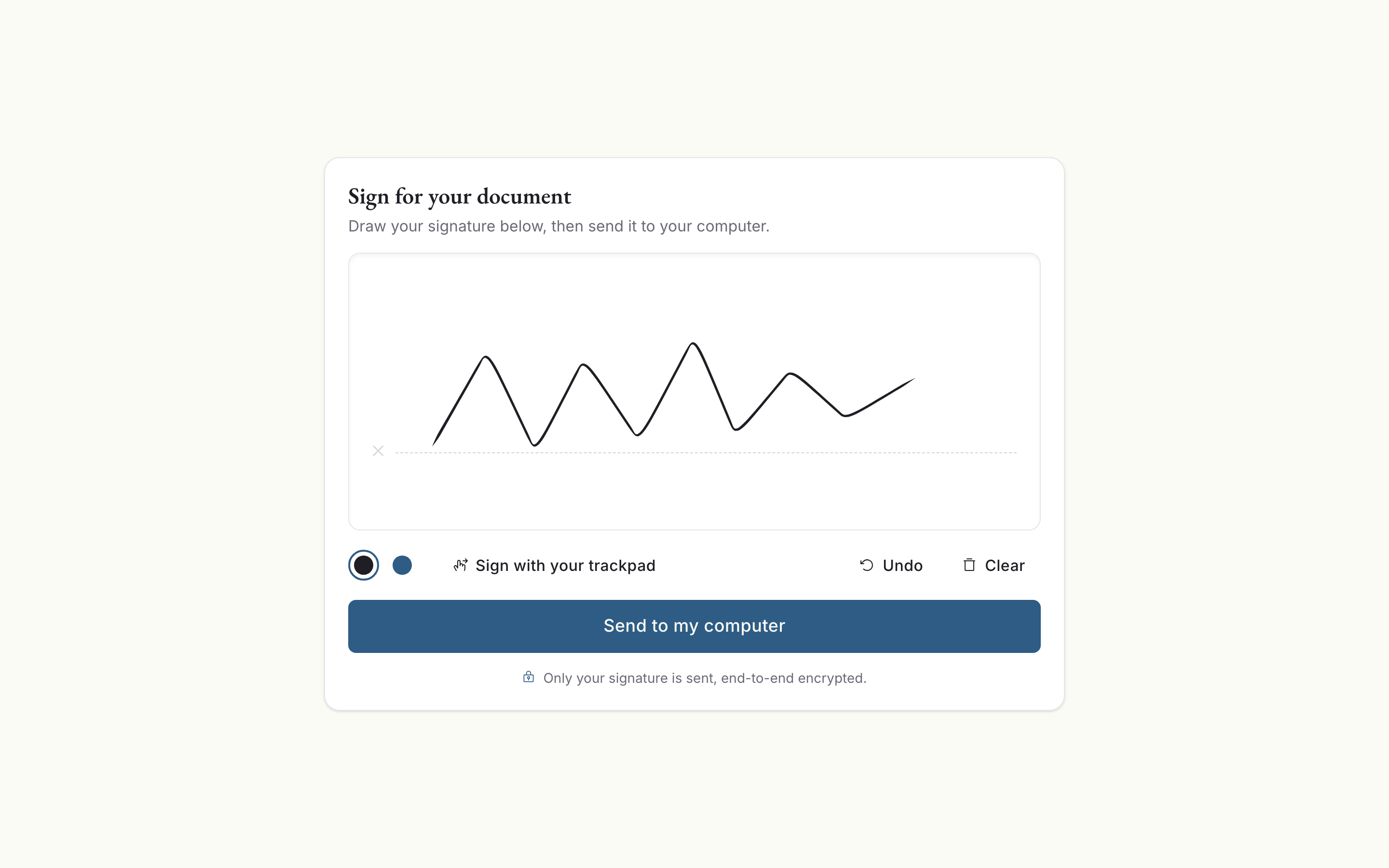
This is the one part of the tool that touches a server, so here is exactly what that server sees. The QR code holds an address plus an encryption key, and the key lives in the fragment of the URL, the part after the hash. Browsers never send the fragment to a server. Your phone encrypts the signature with that key before it sends anything, so the relay only ever holds ciphertext and a hashed token. It cannot read your signature and neither can we. The record deletes itself after ten minutes.
Putting it on the page
Click anywhere on a page to drop the signature. It lands at just over a quarter of the page width.
From there, drag it into position. The corner handles resize it and hold the aspect ratio, so your signature cannot stretch into something that would embarrass you in front of a solicitor. Rotate the page and the signature rotates with it, staying where you put it. Select it and press Delete to remove it. Place as many as you need across as many pages as you need, which matters for the agreements that want a mark in the corner of every page.
What happens on export
Signatures bake into the PDF itself. Your mark becomes part of the page, not a comment or an annotation layer that the next reader can toggle off or drag somewhere else.
Getting that right was most of the engineering. A PDF page can be rotated, a signature can be rotated, and the two rotations combine. Pages can also declare a crop box that differs from the media box, and the page origin is not always at zero. The coordinate code covers all sixteen combinations of page and signature rotation, and the tests check that each corner lands where it should in every one of them.
Stamps render at three times display size, so they stay sharp when someone zooms in or prints the page.
Reusing a signature
Once you have made one, you can save it and reuse it in a click. Up to five, held in your browser local storage. They never upload. Clear your browsing data and they go with it, which is the honest cost of not keeping them on a server.
What it does not do
This is not a signature request service. It will not email a document to the other party, chase them for a response, or produce an audit trail of timestamps and IP addresses. If you need a structured signing workflow across several parties, use a product built for that.
It also does not apply a cryptographic digital signature, the kind that certifies a document has not changed since it was signed. What you get here is a visual mark, the same thing ink on paper gives you. For most contracts, invoices, quotes, and permission slips, that is precisely what the other side is asking for.
What it does cover is the common case. You have a document, it needs your signature, and you would rather not hand your bank details to a company you found in a search result.
Try it
Open the PDF editor, drop a document on the page, and click Sign. If you are on a laptop, try the trackpad option first. It is as close as a browser can get to signing with your hand, and it beats dragging a mouse by a wide margin.
The usual arrangement applies. Open DevTools, watch the network panel, and sign a document. The page loads its code once, then goes quiet. The phone handoff is the single exception, and even then the server only sees an encrypted blob it has no key for.